Shufflebox: free Windows game launcher
All your PC games in one place, plus a shuffle button for when you can't decide what to play.
Free Windows game launcher · Portable single exe · Windows 10 / 11
See it in action
54-second demo: search, favorites, icon size, themes, the shuffle button and random pick, the desktop panel, pinning and the background opacity slider.
Game launcher features
Finds your games
Steam (every library), Epic, GOG and non-Steam games on all fixed and USB drives, including Steam shortcuts, Start Menu shortcuts, common game folders (Xbox, EA, Ubisoft) and your own folders. You can also add a game by hand.
Random game picker
Can't decide? The shuffle button rolls through your games and counts down from 5. Launch now, roll again or cancel.
Real icons
Uses each game's Steam or exe icon (up to 256 px) and skips generic engine icons. Set your own icon for any game.
Desktop panel
A borderless panel that stays behind your windows, with an adjustable see-through background. Pin it in place.
Search & favorites
Start typing to filter; Enter launches the first match. Favorites are listed first, each with a star.
Themes & colors
Seven built-in themes, 17 custom color roles with a live preview, and your own background image.
Your settings respected
Steam games launch through Steam, so your launch options apply. Shufflebox never changes game files.
Portable
One small exe. No installer, no account, nothing tracked. Optional start with Windows.
Screenshots
Click a screenshot to enlarge it.
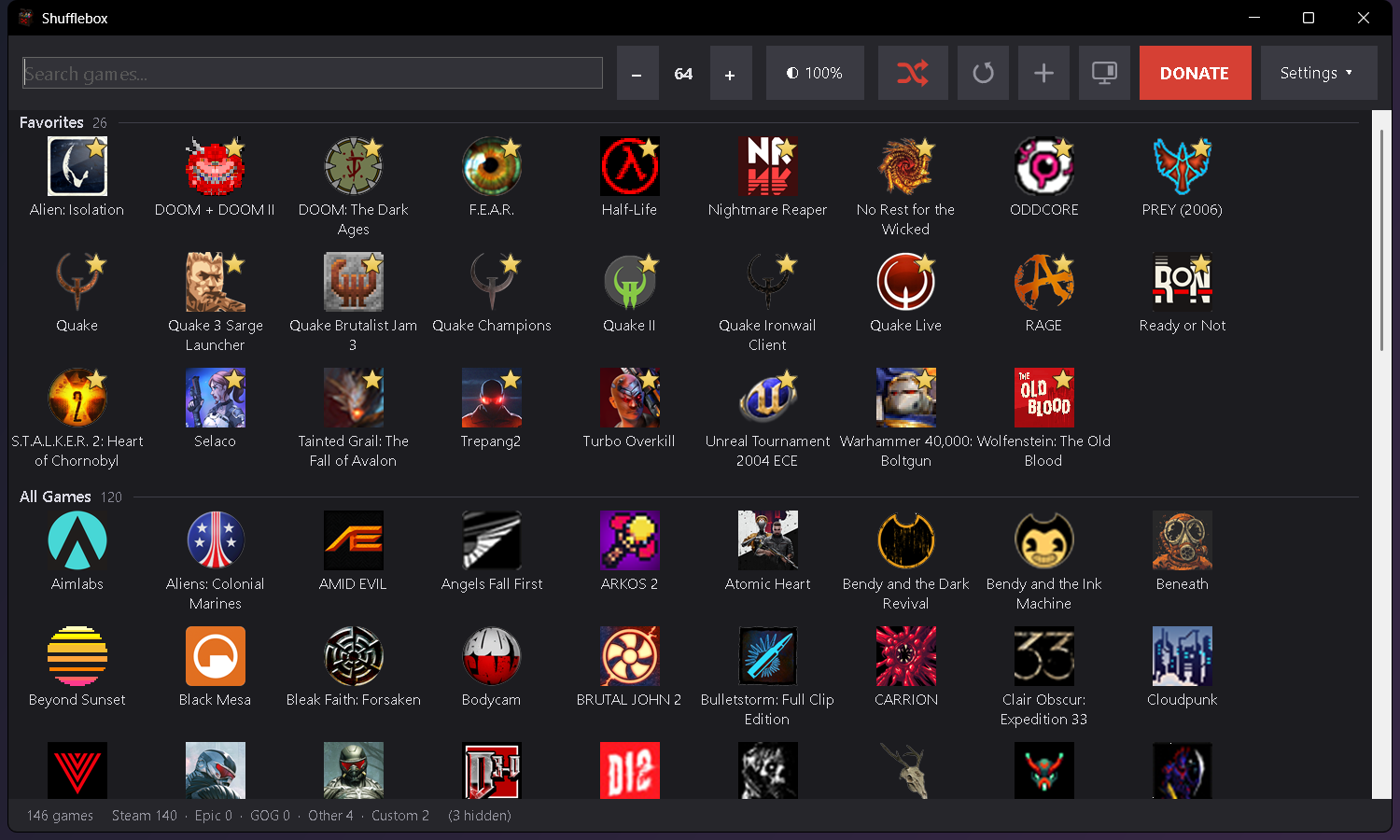
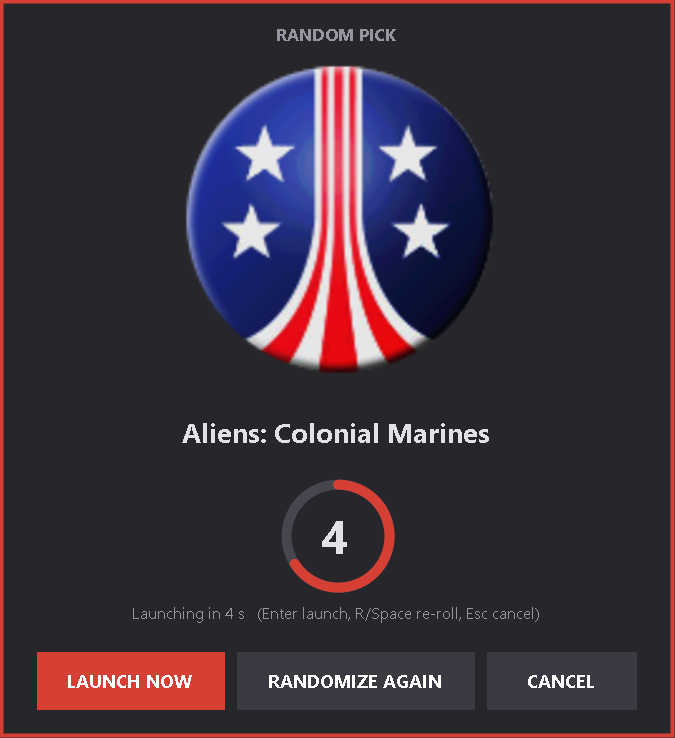
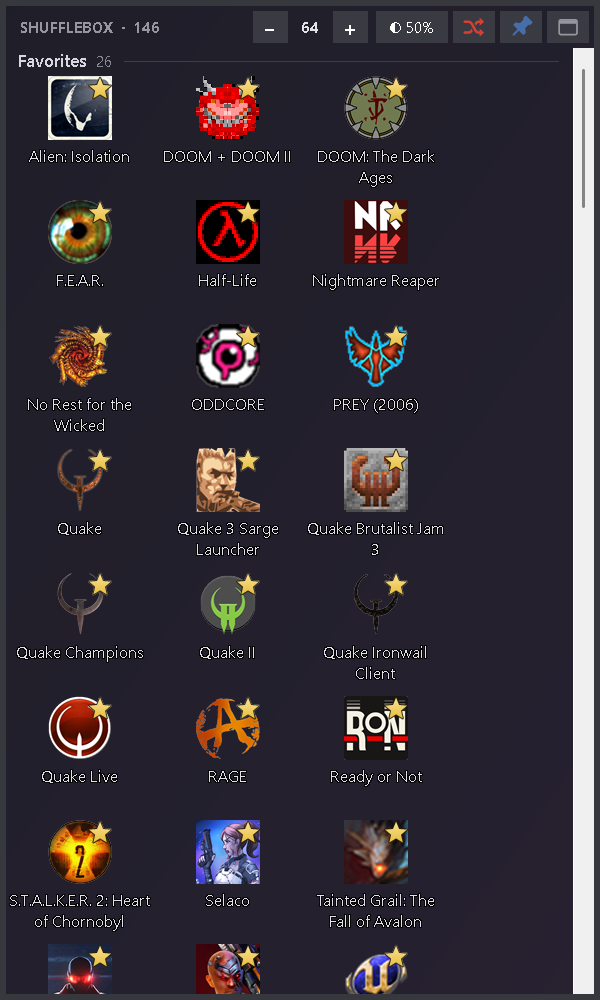
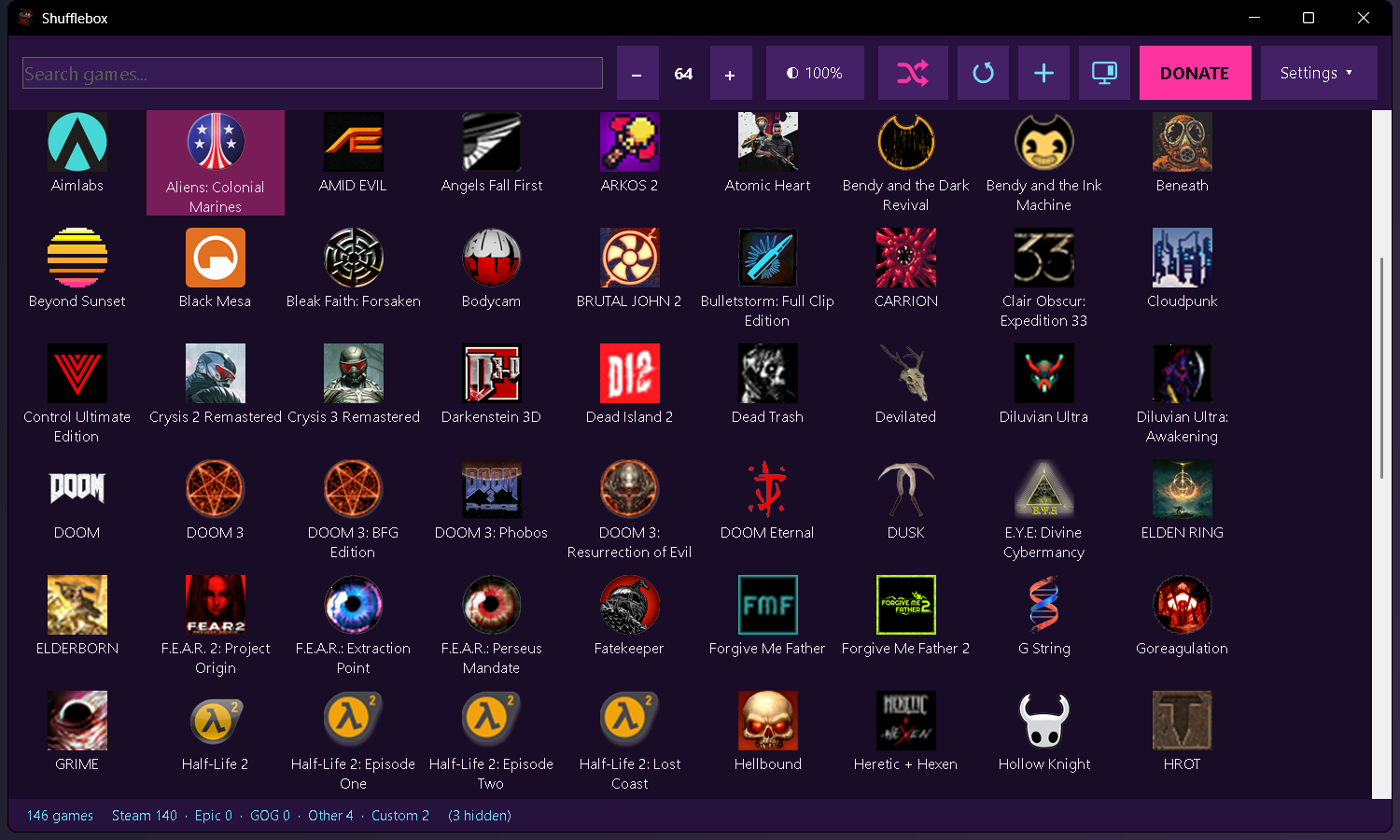
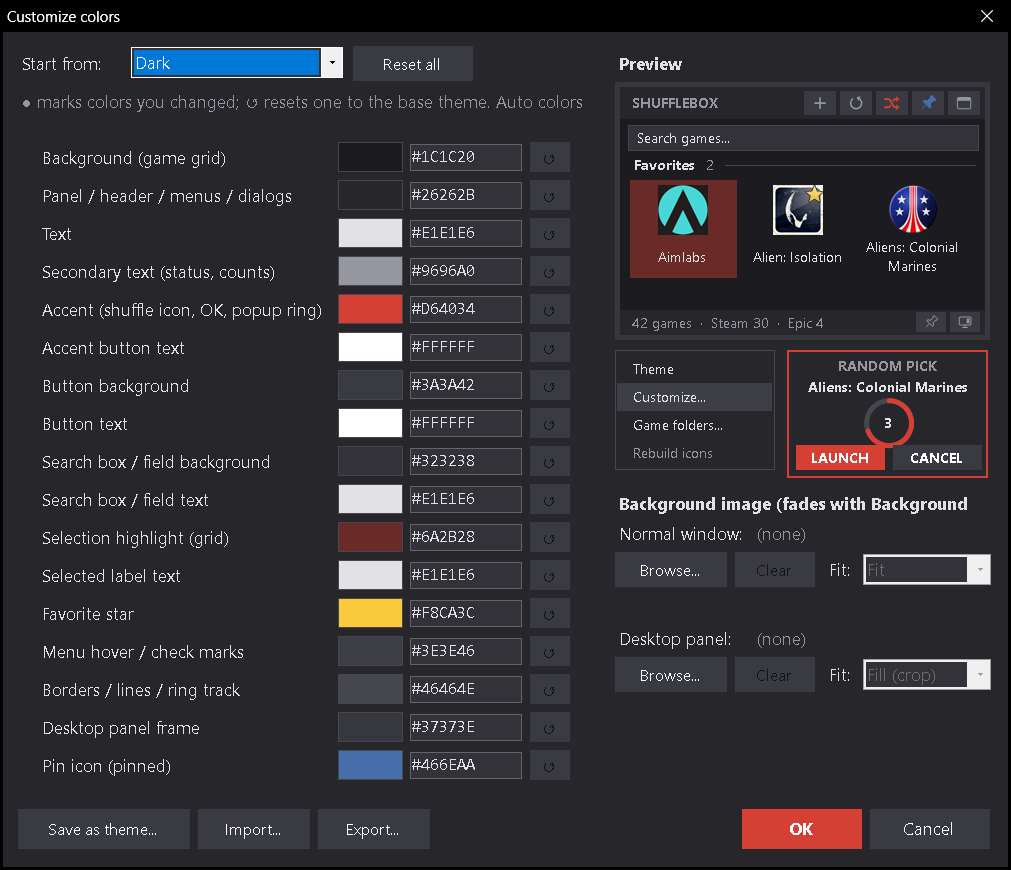
Shown with a real library: DOOM: The Dark Ages, Half-Life, Quake, Alien: Isolation, S.T.A.L.K.E.R. 2: Heart of Chornobyl and Clair Obscur: Expedition 33 (all trademarks belong to their owners).
Download & requirements
Requirements
- Windows 10 or Windows 11
- Portable: no installer. Put
Shufflebox.exein a folder of its own and run it; settings are saved next to the exe. - Uses .NET Framework 4.x, which is built into Windows, so nothing else needs to be installed.
About the SmartScreen warning
The exe isn't code-signed yet, so Windows may show "Windows protected your PC" the first time. Click More info → Run anyway.
Only download Shufflebox from the official GitHub Releases page or its itch.io page.
Support / Donate
Shufflebox is free. If you enjoy it, donations are appreciated (honor system, nothing is tracked).